The Complete BGMI Stylish Name Guide: How to Get One That Actually Works
You pick a great looking name from a generator. Crowns, brackets, fancy letters, all of it. Looks perfect on your screen. Then you paste it into BGMI, tap confirm, use up a rename card, and check the kill feed… and instead of your name you see this: ꧁⚡ □□□□□□□□ ⚡꧂
Just a row of empty boxes.
This happens to a lot of players and most of them never figure out why. So let's go through it properly. Why some stylish names break in BGMI, how you can avoid wasting a rename card on a broken one, and which styles actually hold up.
Why some fonts just turn into squares
Your phone has a huge font library built in. That's why almost any fancy letter shows up fine when you're browsing or texting on WhatsApp.
BGMI doesn't use that library. Like a lot of mobile games, it comes with its own small built‑in font instead, which keeps the app light and fast to load. Problem is, that font only covers a limited set of characters. Regular letters, numbers, basic punctuation, and a handful of symbols that are common in usernames.
So when your name has a letter outside that limited set, the game literally has nothing to draw. It knows something should be there but there's no image for it, so you get a blank square.
Not a bug. Just a trade‑off the developers made. But it's exactly why a name that looks great in your browser can fall apart the second you paste it into the game.
Fonts that tend to break: heavy gothic or Fraktur‑style letters, cursive script letters, and glitch text where you've got two or three little marks stacked on top of a single letter.
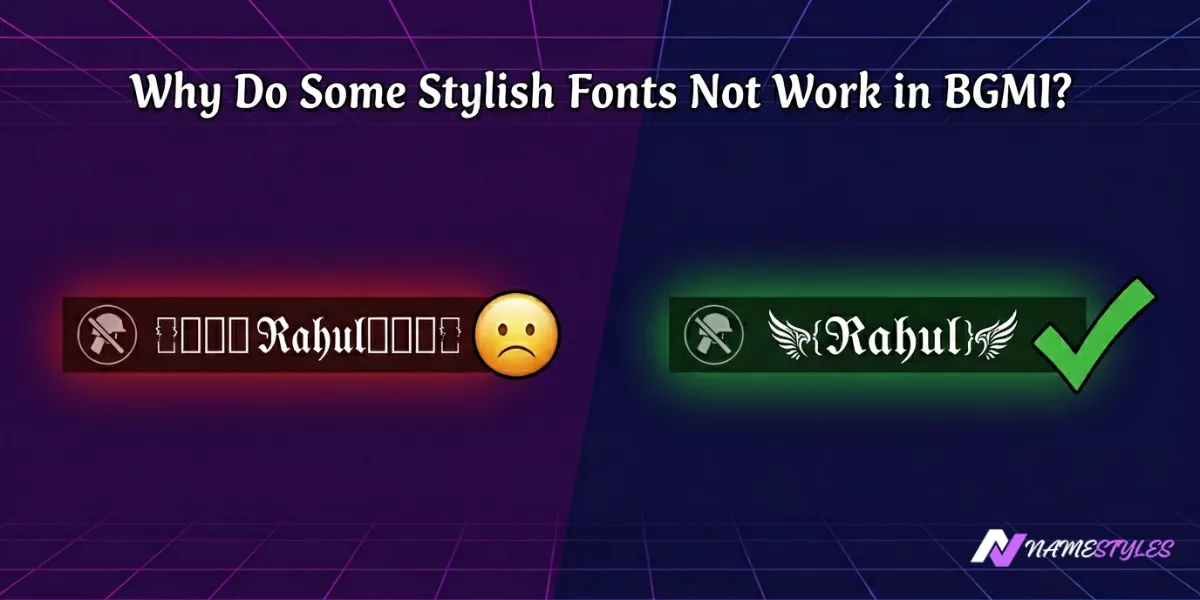
If your name has those gothic looking letters and it's showing boxes, that's usually your answer right there. Swap to plain bold or double‑struck and it'll probably fix itself.
The filter nobody warns you about
Character support isn't the whole story either. BGMI runs every new name through a filter, and it's not just checking for bad words.
If your name is basically all symbols with barely any normal letters in it, the filter can just reject it. Quietly. No error, no popup. Your old name stays, but the rename card or UC you spent? Gone anyway.
Keep at least three or four real, readable letters somewhere in your name and you'll be fine.
꧁𝕽𝖆𝖍𝖚𝖑꧂ works, no issue, because it clearly spells a name. But something like ꧁⚔️꧂, all symbols and no letters, is exactly the kind of thing that gets silently eaten.
About that character limit
BGMI lets you use up to 14 characters. Most players know this part. What a lot of people don't realize is the kill feed usually cuts names off around 12 characters, even though your profile can show the full 14.
Which means you could have a gorgeous 14‑character name sitting on your profile page, and every single person you play against just sees a chopped‑off mess of it mid‑match.
So treat 12 as your actual limit, not 14. And count everything — symbols, brackets, spaces, they all count same as a letter.
Test it before you confirm it. Every time.
Different phones render fonts differently, so honestly the only real way to know a name works is testing it first.
Copy the name from the generator. Paste it into WhatsApp and send it to a friend who has a different phone brand than you do — if you're on Samsung ask someone with a Xiaomi or a OnePlus. Then open BGMI's rename screen and use the Preview button that's sitting right there, it'll show you exactly how it'll look before you spend anything. Only confirm once both of those check out.
Takes maybe a minute, and it can save you a rename card. The reason phone brand matters so much comes down to how each one handles a character the game's font doesn't support. Some brands quietly swap in something close. Others just show the blank box.
Names that are known to actually work
All of these follow the rules above — real letters, safe character count, symbols that render properly across phones. Swap "Name" for your own using the generator.
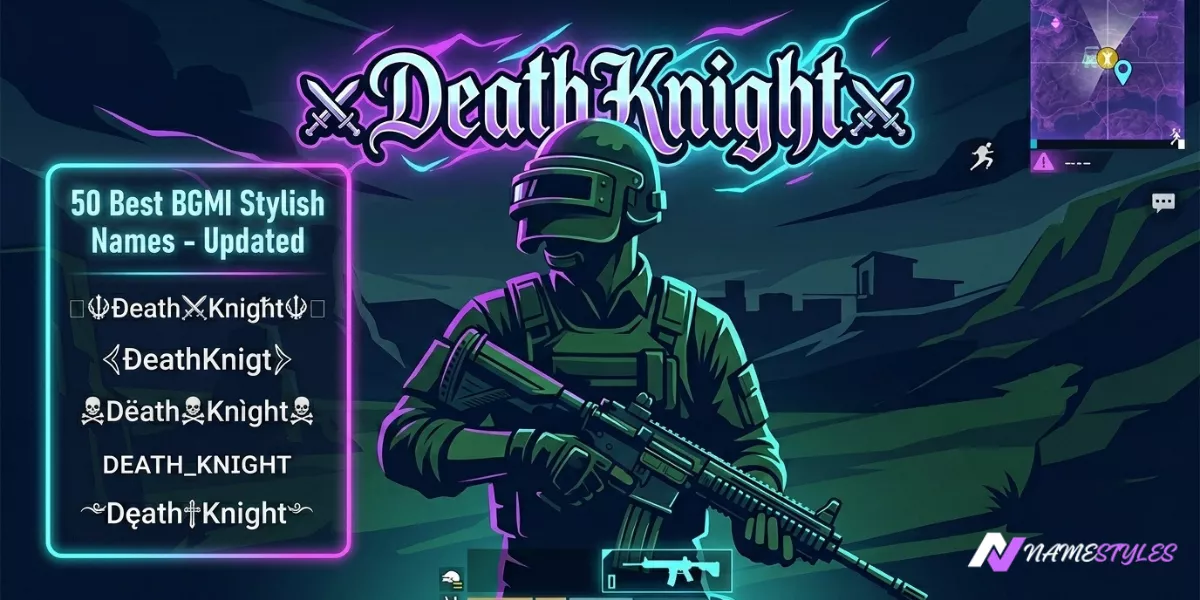
Simple and clean: ꧁𝕹𝖆𝖒𝖊꧂, ϟ 𝙽𝚊𝚖𝚎 ϟ, 『𝕹𝖆𝖒𝖊』
Bold, more aggressive: ☠️ 𝕹𝖆𝖒𝖊 ☠️, ⚡ 𝙽𝚊𝚖𝚎 亗, 乂 𝚂𝚊𝚟𝚊𝚐𝚎 乂
Royal, leader type: ꧁♛ 𝙺𝚒𝚗𝚐 ♛꧂, 👑 𝙻𝚎𝚐𝚎𝚗𝚍 👑, ꧁𝕰𝖒𝖕𝖊𝖗𝖔𝖗꧂
Minimal: 𝕻𝖗𝖔, ⚡ 𝙽𝚊𝚖𝚎
What about PUBG Mobile?
If you play both, good news — most of this carries over. PUBG Mobile supports a bit more character variety than BGMI does, but it's the same basic system underneath, and its kill feed also tends to cut off around 12 characters. A name that passes in BGMI will almost always be fine in PUBG Mobile too. If you play both seriously though, it's worth running the WhatsApp and preview test separately in each — small differences do pop up sometimes.
If your name is already broken
Say you already confirmed a name and now it's full of squares. You can usually find the exact problem letter without too much guessing.
Copy the broken name into a notes app. Delete characters from the end one at a time, checking after each removal — either through a friend's phone or the in‑game preview if you've got a spare card. Once the squares disappear, whatever you just deleted was the culprit. Swap it out for a plain bold letter or a common symbol like ꧁, ꧂, ϟ, or ♛ instead.
Questions people actually ask
Before you use your next rename card
A stylish BGMI name is only good if it actually shows up right for everyone else in the lobby. Keep it under 12 characters, throw in a few real letters, stick to fonts that are known to work, and test it on a second phone before you commit. Do those four things and you won't lose another rename card to a wall of empty boxes.
🎮 Browse Working BGMI Name Styles →