The Complete Guide to Stylish Names on Snapchat (2026 Edition)
Snapchat is unlike any other social platform. It doesn't broadcast your follower count. It doesn't show public likes. Your profile isn't indexed by Google. Instead, Snapchat creates a private, intimate space where you share moments with close friends and family. In that environment, your identity—especially your name—carries a lot of weight.
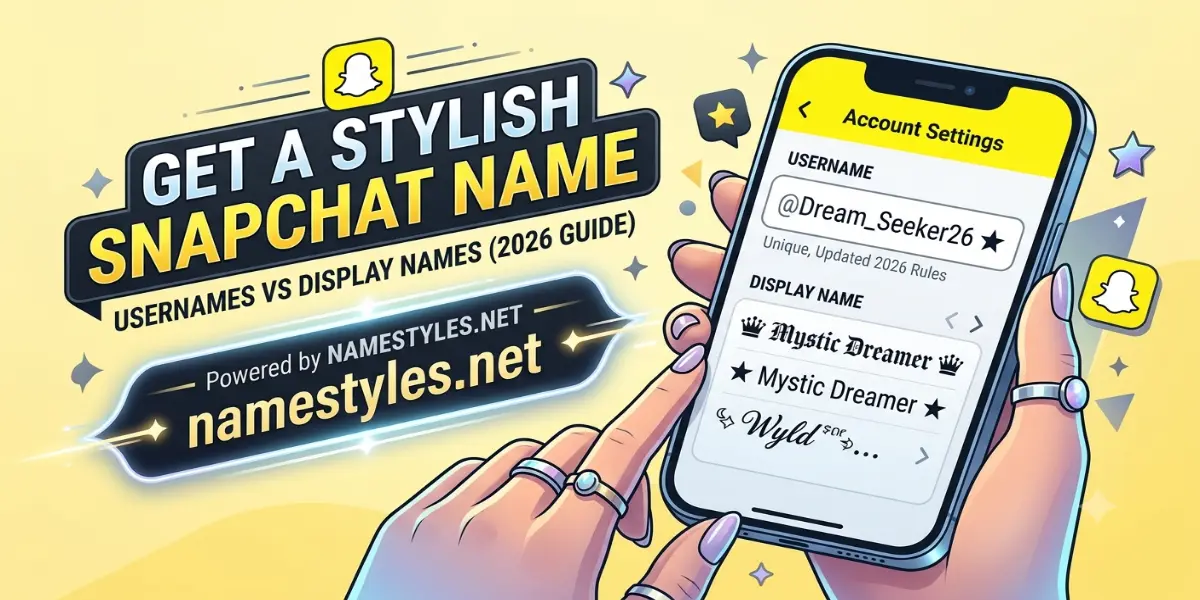
But here's the problem most users face: Snapchat's naming system is split into two completely different fields, and the rules for each one are confusing. Your username is the permanent handle you chose when you signed up. Your display name is the flexible, customizable field that people actually see. Understanding the difference—and knowing how to work within each one's limits—is the key to creating a stylish Snapchat identity that looks great and works perfectly for everyone who sees it.
This guide is the result of extensive testing across multiple devices, conversations with long‑time Snapchat users, and a deep dive into the app's evolving policies. By the end, you'll know exactly which symbols are safe, how to structure your name for maximum visual impact, and how to avoid the embarrassing mistakes that make stylish names look broken.
1. The History of Snapchat Names (And Why It Matters)
When Snapchat launched in 2011, your username was permanent. Forever. You couldn't change it, no matter how much you begged support. This led to millions of users being stuck with handles they chose as teenagers—full of random numbers, embarrassing phrases, or inside jokes that stopped being funny years ago. The display name existed, but it was secondary; your username was your identity.
In February 2022, Snapchat finally introduced the ability to change your username once per year. It was a massive shift, but it came with strict rules: the username still couldn't contain capital letters, special characters, or spaces. The display name, however, remained completely free—no change limits, full Unicode support, and visible everywhere.
Understanding this history is crucial because it explains why so many Snapchat users have a mismatched profile: a cringey username from 2014 paired with a polished display name. Your goal should be to harmonize the two—or at least ensure your display name compensates for a less‑than‑ideal username.
2. Username vs. Display Name: A Detailed Breakdown
Let's compare the two fields side‑by‑side, because confusing them is the single most common mistake people make.
| Feature | Username | Display Name |
|---|---|---|
| Change frequency | Once per year | Unlimited |
| Allowed characters | Lowercase a‑z, 0‑9, hyphens, underscores, periods | Any Unicode character, including emojis and symbols |
| Character limit | 3–15 | Up to 30 (20 recommended) |
| Spaces allowed? | No | Yes |
| Capital letters? | No | Yes |
| Visible in chat? | Yes (in profile, search, add screen) | Yes (chat header, friend list, notifications) |
| Visible in stories? | No | Yes |
Because the username is essentially locked for a year at a time, your display name becomes the canvas for self‑expression. But it's also the name your friends see most often, which means it should be both stylish and recognizable. A beautiful cursive font is useless if no one can tell who you are.
3. Character Limits and Why They Matter
Snapchat's display name field accepts up to 30 characters. Each Unicode symbol, emoji, and decorative letter counts as one character. A name like "✨ 𝒮𝓃𝒶𝓅𝓈 ✨" is 10 characters—well within the limit. But if you add multiple symbols, brackets, and a long name, you'll hit the ceiling quickly.
Here's the catch: Snapchat truncates names in certain views. In the chat list, names longer than about 16–18 characters get cut off with an ellipsis. In notifications, the limit is even tighter. So while you can use 30 characters, your name will look incomplete in many places. The sweet spot is 14–18 characters—long enough to be expressive, short enough to display fully everywhere.
To count your characters accurately, paste the stylish name into a notes app or our generator's preview. Count every symbol individually. Do not rely on visual length alone; some Unicode characters are wide but count as a single character.
4. Our Symbol Testing Methodology
We didn't just guess which symbols work. We tested over 150 Unicode characters across five devices: an iPhone 14, a Samsung Galaxy S23, a Xiaomi Redmi Note 12, a Google Pixel 7, and a OnePlus Nord. Each symbol was pasted into Snapchat's display name field and then viewed on all five devices to check for rendering errors. Symbols that showed as squares, question marks, or blank spaces on any device were eliminated.
The result is a curated list of symbol categories that display correctly everywhere:
| Category | Examples | Use Case |
|---|---|---|
| Hearts | ❤️, 💖, 💕, ♥ | Warm, personal profiles |
| Stars & Sparkles | ✨, ★, ⭐, ✧, ✦ | Playful, modern feel |
| Flowers & Nature | 🌸, ✿, 🌺, 🌻 | Soft, feminine aesthetic |
| Crowns & Royalty | 👑, ♛, ༒ | Confident, premium look |
| Minimal Brackets | 【, 】, 『, 』, ( ) | Clean framing |
| Emojis | All standard emojis | Universal, expressive |
5. Creative Strategies for Different Personas
Your display name should reflect the version of yourself you want to show on Snapchat. Here are four distinct persona‑based strategies, each with example names that stay within the safe character limit.
The Minimalist
Clean, uncluttered, and professional. Ideal for users who want a subtle touch of style without drawing too much attention.
- ✨ Rahul
- 【 Priya 】
- ( Anjali )
- ⚡ Rohan ⚡
The Playful Creator
Bold, colorful, and full of personality. Uses emojis and sparkles freely. Works great for artists, content creators, and anyone who wants their profile to feel alive.
- 🌸 𝒮𝓃𝒶𝓅𝓈 🌸
- 💖 𝓐𝓷𝓳𝓪𝓵𝓲 💖
- ✨ 𝕊𝕟𝕒𝕡 ℚ𝕦𝕖𝕖𝕟 ✨
- 🎨 Creative Vibes 🎨
The Edgy & Mysterious
Dark symbols, moons, and subtle intensity. Perfect for users who want an enigmatic presence without being overtly aggressive.
- ☾ 𝕯𝖊𝖒𝖔𝖓 ☽
- 🖤 𝒮𝓃𝒶𝓅𝒹𝓇𝒶𝓀𝑒 🖤
- ✟ 𝕸𝖎𝖉𝖓𝖎𝖌𝖍𝖙 ✟
- 🌙 Shadow 🌙
The Warm & Friendly
Hearts, flowers, and soft pastel vibes. Ideal for family‑oriented users, couples, and anyone who wants their Snapchat to feel welcoming.
- 🏡 Mom ❤️
- 💕 Bestie 💕
- 🌸 Family 🌸
- ✨ Dad ✨
6. How to Match Your Name with Bitmoji and Stories
Snapchat is more than just a name. Your Bitmoji and Stories also contribute to your overall identity. A cohesive profile—where your display name, Bitmoji outfit, and Story aesthetic all feel connected—makes a stronger impression than any single element alone.
For example, if your display name is "✨ 𝒮𝓃𝒶𝓅𝓈 ✨", consider customizing your Bitmoji with a sparkly outfit or a creative background that echoes the star theme. If your name uses flowers ("🌸 𝓐𝓷𝓳𝓪𝓵𝓲 🌸"), your Bitmoji could wear a floral dress. This attention to detail signals that you care about your presentation—and it makes your profile memorable.
7. Privacy and Safety Considerations
Snapchat is more private than Instagram or TikTok, but your display name is still visible to anyone you've added as a friend—and to people who add you by username. If you have your profile set to "Everyone" in your privacy settings, your display name is effectively public.
Avoid putting sensitive information in your display name: your full legal name, your phone number, your home address, or anything that could be used to locate you. A stylish name is meant to enhance your identity, not expose it. Keep it personal but not personally identifiable.
8. Step‑by‑Step: How to Change Your Snapchat Display Name
- Open Snapchat and tap your Bitmoji or profile icon in the top‑left corner.
- Tap the gear icon (Settings) in the top‑right corner.
- Tap "Name" under the "My Account" section.
- Edit the "Display Name" field. Paste your stylish name or type it manually.
- Tap "Save". Your new name will appear immediately.
There is no preview button, so before saving, paste the name in a chat to yourself or in the Notes app to verify that all symbols render correctly. If you see squares, replace the problematic character with a tested alternative from the list above.
9. Common Mistakes and How to Avoid Them
- Overloading the display name: Too many symbols make your name hard to read and look cluttered. Stick to one decorative element on each side at most.
- Using symbols that break: Always test on two different devices before finalizing. A name that looks perfect on your iPhone may show as boxes on a friend's Android phone.
- Ignoring the username: If your username is unprofessional or hard to share, it undermines the effort you put into a stylish display name. Choose a username that is simple, memorable, and consistent across platforms.
- Changing too often: Frequent changes can confuse your friends. Some may even unfriend you if they don't recognize the new name. Update no more than once a month.
- Using glitch text: Glitch and Zalgo text may look cool on one device, but they are the most common cause of broken names on Snapchat. Avoid them entirely.
10. Frequently Asked Questions
11. Ready to Upgrade Your Snapchat Name?
You now know the critical distinction between your permanent username and your flexible display name. You have a list of tested symbols that work on every major device. And you understand the common pitfalls that cause names to break. The rest is simple: choose a style, test it, and apply it.
Go to namestyles.net, type your name, explore the Snapchat‑friendly styles, and copy the one that feels like you. It takes less than a minute, and it gives your profile a subtle yet meaningful upgrade.
👻 Create My Snapchat Stylish Name Now