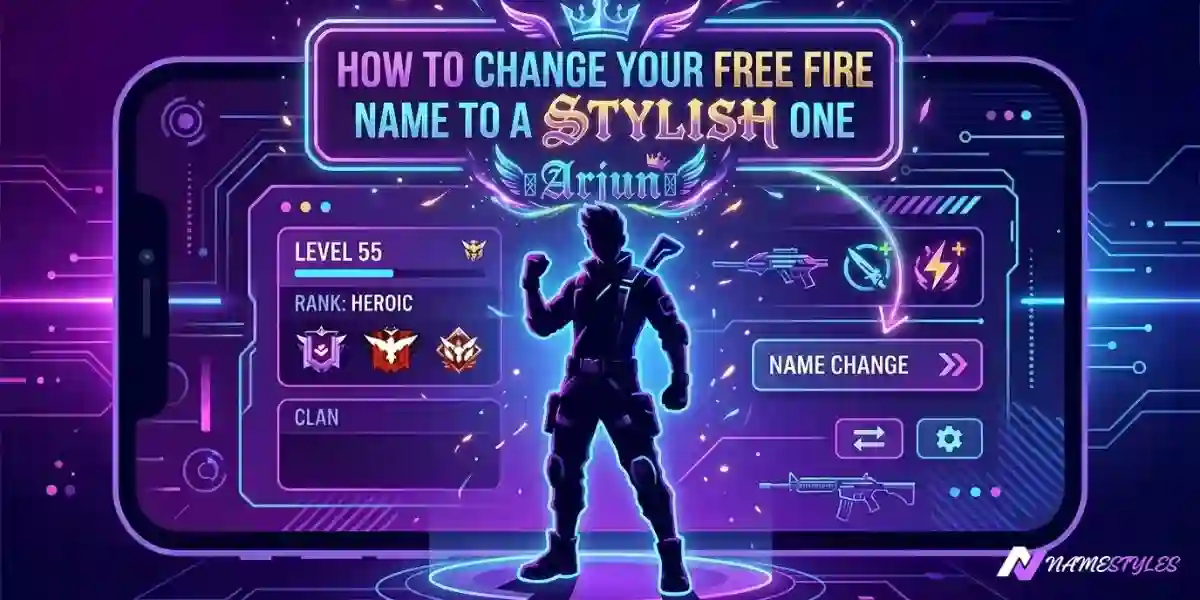
How to Change Your Free Fire Name to a Stylish One (Step‑by‑Step)
Changing your Free Fire name to something stylish takes about two minutes once you know the steps. The tricky part isn't the process itself — it's avoiding the small mistakes that waste a rename card or leave your name looking chopped in half. This guide covers both.
What you'll need
Changing your name in Free Fire costs one of two things:
- 390 diamonds
- A Name Change Card, which you can sometimes get for free through events, the Royale Pass, or login rewards
There's no free first change. Even your very first rename costs diamonds or a card, so it's worth treating that resource carefully. Rename cards do show up through events fairly regularly — if you're not in a rush, waiting for a free one is usually the smarter move.
Step by step: changing your Free Fire name
Step 1: Create your stylish name
Go to namestyles.net and type your name into the input box. You'll instantly see a long list of styled versions. Use the Free Fire filter to narrow it down to styles that are known to display correctly in the game. Tap any style and it copies straight to your clipboard.
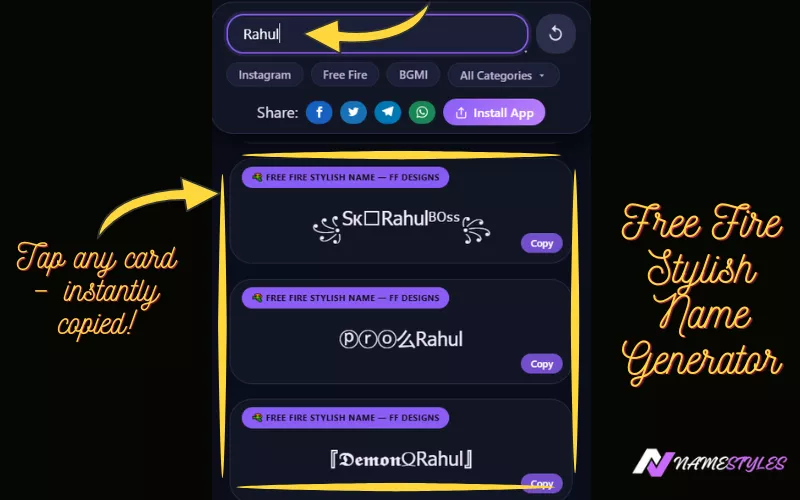
Avoid anything with heavy glitch effects — the kind with extra marks stacked above or below letters. Those tend to break in Free Fire and show up as empty squares instead of the actual style.
Step 2: Open Free Fire and go to your profile
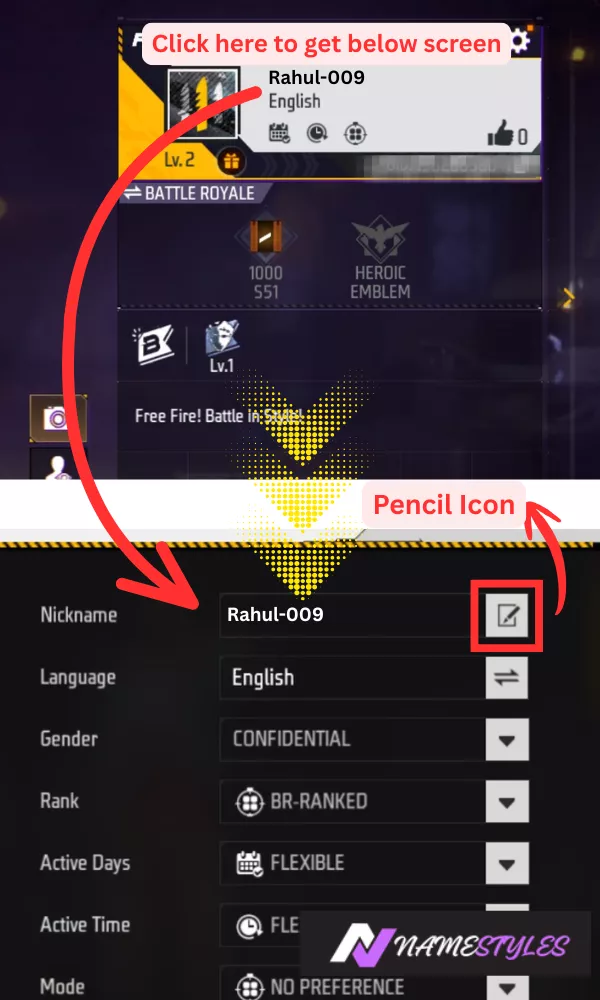
Launch the game and tap your profile picture in the top left corner of the home screen. Next to your current name, you'll see a small pencil icon. Tap that to open the rename screen.
Step 3: Paste and confirm
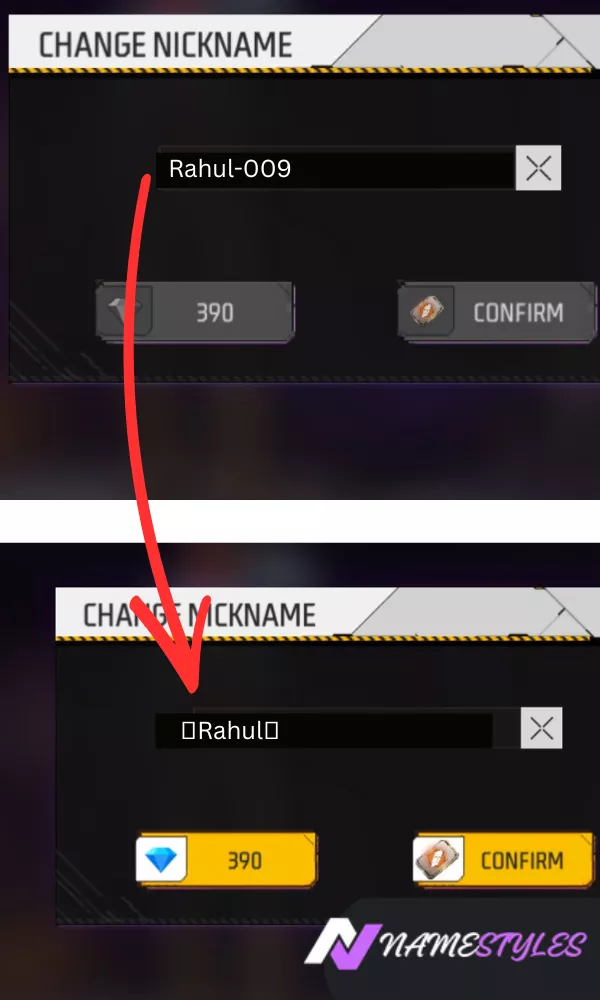
Long‑press the name field and select Paste. Your stylish name should appear there. Before confirming, if your game version has a Preview option, use it. It shows exactly how the name will display before anything is deducted.
If you can, have someone else check it on their phone too. Different phone brands don't always render the same symbol identically, and it's a quick way to catch a problem before you spend anything.
Once everything looks right, tap Confirm. Free Fire deducts 390 diamonds or one rename card, and the new name is live right away.
The 12‑character limit
Free Fire's name field accepts exactly 12 characters, and every symbol, bracket, or decorative mark counts as one character — same as a regular letter.
| Name Example | Character Count | Fits? |
|---|---|---|
| Rahul | 5 | ✅ Yes |
| ꧁Rahul꧂ | 8 | ✅ Yes |
| ꧁༒☬Rahul☬༒꧂ | 14 | ❌ No — gets cut off |
| 𝓡𝓪𝓱𝓾𝓵 | 6 | ✅ Yes |
If a name goes over the limit, Free Fire simply cuts off whatever doesn't fit. That usually means a missing bracket or a half‑formed symbol, not a clean shortened version. Pasting your name into a messaging app before you commit is a simple way to check the exact count, since most apps show character counts as you type.
A few things that catch people off guard
- There's no undo. The moment you confirm, your old name is gone permanently. There's no second "are you sure?" prompt — double‑check before you tap confirm, not after.
- Spaces get removed. Some stylish designs use spaces for spacing between symbols, but Free Fire strips them out automatically. If you paste a name with spaces, expect the game to close up those gaps, which can also shift your character count.
- Rename cards are tied to your server region. A card earned on one regional server generally won't carry over if you play on another. Worth keeping in mind if you switch servers often.
- Lobby and kill‑feed rendering aren't identical. A name that looks perfect on your profile screen can render very slightly differently during an actual match, since the two screens don't always use the exact same font rendering.
Common questions
Getting it right the first time
You now know the process, the cost, the character limit, and the small mistakes that trip people up. From here it's simple: create the name, paste it in, preview it if you can, and confirm.
Head to namestyles.net, type your name, filter by Free Fire, and pick something that fits your style and your character count.
✨ Make My Free Fire Name Stylish Now