Stylish Urdu, Hindi and Arabic Names: Why They Break, and How to Style Them Properly
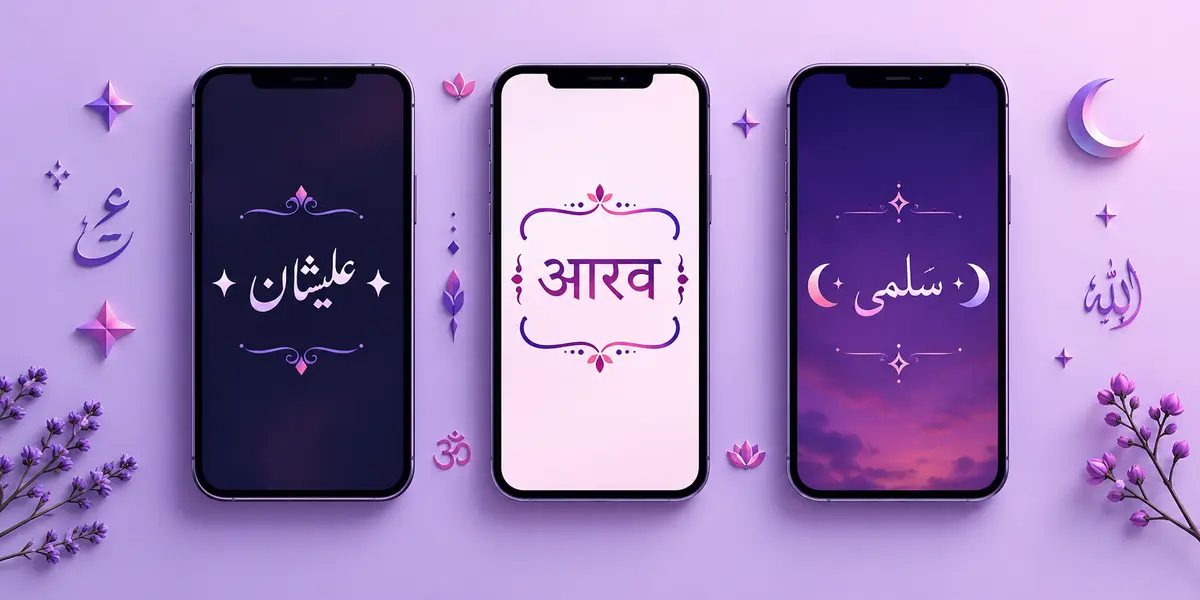
Most stylish name maker tools were built around the English alphabet. Type a name in Latin letters and you get bold, cursive, Gothic and bubble versions in a second. Type the same name in Urdu, Hindi or Arabic and something odd happens: half the styles vanish, a few come back as empty squares, and one or two come back looking like the letters have been shuffled.
That is not your phone being broken. It is a predictable consequence of how these scripts are built, and once you know the four things that go wrong, you can style a name in any of them and have it survive the paste. This guide covers what is actually happening and how to work around it.
Why Latin font tricks do not work on these scripts
The "fonts" in a stylish name generator are not fonts at all. They are substitute characters that already exist in Unicode. When a tool shows you a bold-looking name, it has swapped every letter A–Z for a character from a block called Mathematical Alphanumeric Symbols, which happens to be drawn in bold. Nothing has been installed on your phone. The letters are simply different letters that look like styled versions of the originals.
That block only covers Latin A–Z, a–z and 0–9. There is no bold Urdu, no cursive Devanagari, no Gothic Arabic. Those substitute sets were never created, because these scripts handle emphasis through typeface design rather than through separate character ranges.
So when a generator appears to "style" an Urdu name, one of two things is happening. Either it is decorating around the text while leaving the letters untouched — which is correct — or it is forcing a Latin map onto transliterated text, which quietly converts your Urdu name into English-looking characters that no longer read as the original name. If your styled result suddenly looks like Latin letters, that is what happened.
The four checks that decide whether a name survives
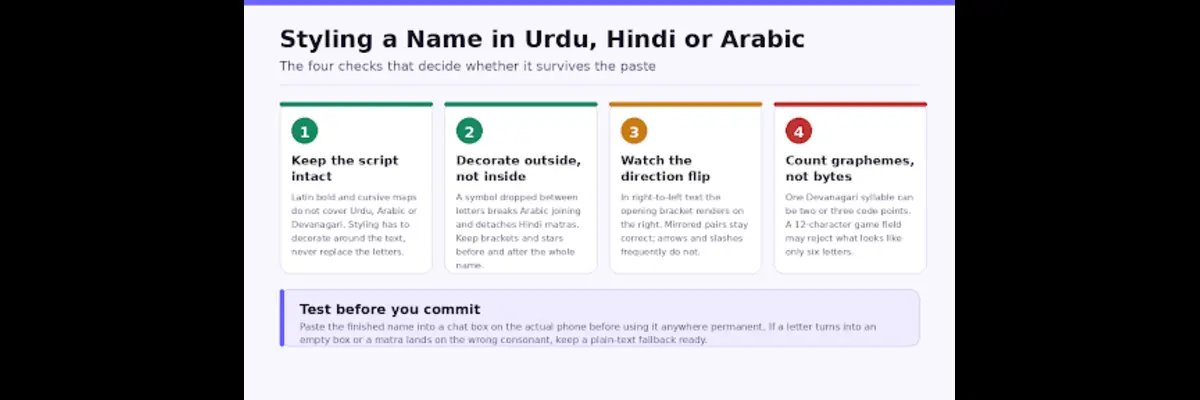
Save or screenshot this. It covers almost every case people run into.
1. Decoration goes outside the name, never inside it
Arabic and Urdu letters join to their neighbours. A letter changes shape depending on whether it sits at the start, middle or end of a word. Drop a star or a bracket into the middle of that word and the joining chain is cut — the letters on either side snap into their isolated forms, and the word stops looking like a word.
Hindi names has a related problem with a different cause. A Devanagari syllable is a consonant plus attached vowel signs and marks. Insert a symbol between the consonant and its matra and the matra has nothing to attach to, so it either floats on its own or lands on the wrong consonant.
Works: ★ ★ before the name, ★ ★ after it, name untouched in between.
Breaks: a symbol between any two letters of the name itself.
2. Brackets flip, and some symbols flip with them
Urdu and Arabic run right to left, and your phone works out the direction from the characters themselves. Put a decorated name into a left-to-right interface and the layout engine has to reconcile the two. Usually it does this well. Where it surprises people is with brackets.
Paired punctuation is mirrored automatically in right-to-left text, so the character you typed as an opening bracket renders on the visual right. That is correct behaviour, not a bug — the pair still reads as a pair. The problem is unpaired symbols. Arrows, slashes and chevrons are not mirrored, so a name that pointed neatly rightwards in English can end up pointing back into itself.
Practical rule: for right-to-left names, prefer symmetrical decoration. Stars, hearts, flowers, dots and diamonds look identical in both directions and cannot flip the wrong way.
3. Character counts are not what you think
Game and app name fields count code points, not the shapes you see on screen. These numbers diverge badly in Indic and Arabic scripts.
A Devanagari syllable like a consonant with a vowel sign is at least two code points, sometimes three or four with a conjunct.
An Urdu word carrying diacritics counts each diacritic separately.
Every decorative symbol counts as one more, and some emoji count as two.
This is why a name that looks like six letters gets rejected by a twelve-character field. If you are working against a tight limit, count the decoration first and give the name itself whatever is left.
4. Rendering is a device lottery
An empty box means your device has no glyph for that character. The text is valid; the font simply does not include it. This varies by manufacturer, by Android version, and by app — the same name can look perfect in WhatsApp and show two boxes in a game lobby on the same phone, because the game ships its own font.
There is no way to detect this from inside a generator, which is why any honest tool tells you to test rather than promising it will work. Paste the finished name into a normal chat box on the device you actually use before you commit it anywhere that costs money or cannot be changed easily.
A workflow that actually holds up
Putting it together, here is the sequence that gives the best results for a name written in Urdu, Hindi or Arabic script:
- Type the name in its own script rather than in transliteration. Transliterating to English first and styling that gives you a styled English word, not a styled Urdu name.
- Check what you have before you decorate. Confirm the script and the direction are what you expect, and that no invisible control characters have come along from a copy-paste.
- Add decoration only at the two ends, and keep it symmetrical if the script is right-to-left.
- Count the result against the destination field's limit, remembering that marks and emoji count too.
- Paste it into a chat box on the real device, look at it, and only then put it into the profile.
Step two is the one most people skip, and it is the step that catches the invisible problems. A tool like Stylish Name Checker reports the grapheme length, the detected script, the text direction and any suspicious control characters before you copy anything, which turns an unexplained rejection into something you can see and fix.
If you are working specifically in Urdu, it is worth using something built for the script rather than a general generator with Urdu bolted on. An urdu stylish name maker keeps the Urdu letters and their joining behaviour intact and restricts itself to decoration that is safe in right-to-left text, instead of mapping the name onto Latin substitutes that no longer read as Urdu.
Common problems, and what is behind them
My Urdu name shows as separate, disconnected letters.
Something has been inserted between the letters — usually a decorative symbol or a stray space. Remove anything sitting inside the word and keep decoration at the ends.
The matra in my Hindi name has moved to the wrong letter.
A character has been inserted between the consonant and its vowel sign. Same fix: nothing goes inside the word.
My name is fine in WhatsApp but shows boxes in the game.
The game ships its own font with narrower coverage than the system font. Choose a plainer style, or keep the decoration to common symbols.
The brackets around my Urdu name look reversed.
They are not reversed — they are mirrored, which is correct for right-to-left text. If it still bothers you, switch to symmetrical decoration such as stars or dots.
The app rejected my name even though it looked short enough.
The field counted code points, not visible shapes. Marks, matras and emoji all add to the count.
The honest summary
You cannot make Urdu, Hindi or Arabic text bold or cursive through Unicode character substitution, because those characters were never created. What you can do is keep the name exactly as it is and build something attractive around it — which, on a profile, usually reads better anyway than a name converted into letters nobody recognises.
Keep the script intact, decorate only at the ends, prefer symmetrical symbols in right-to-left text, count what the field is really counting, and test on the device before you commit. That is the whole method, and it holds up across games, chat apps and social profiles.